


To remain compliant with the European DAC8 directive, you must add your Tax Identification Number (TIN) to your Paymium account.
To do so, please go to your profile in the top right corner, then click on “Account Status.”
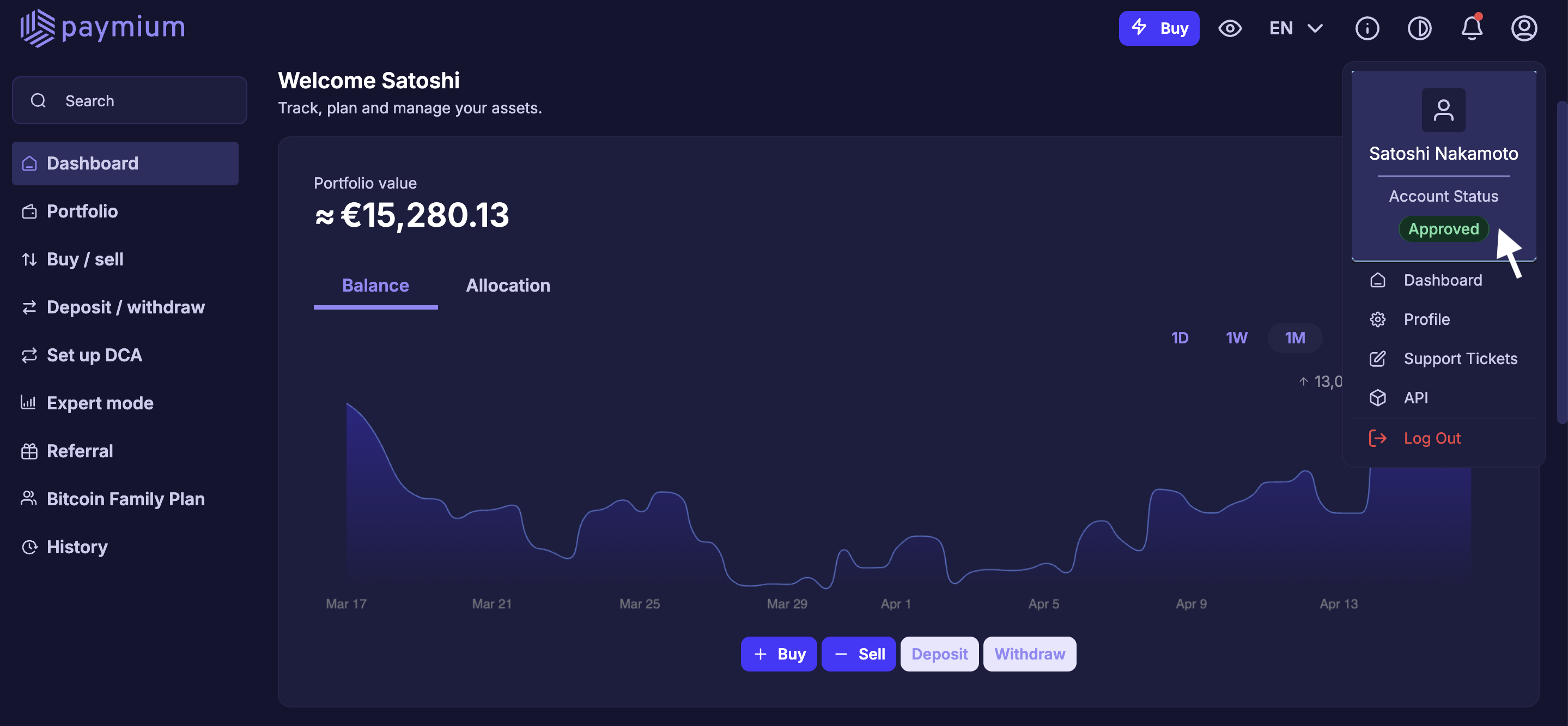
Once on the page, you will see a banner allowing you to enter your TIN.
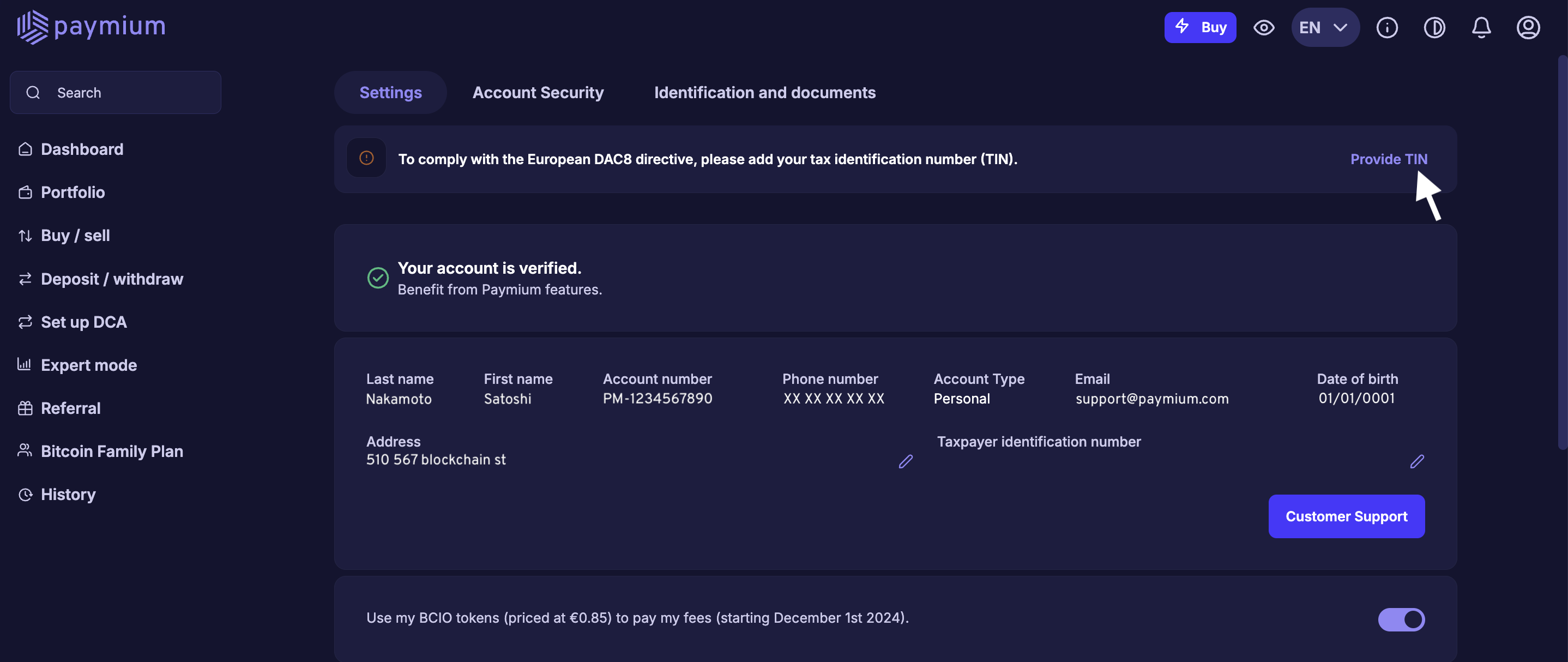
To find out how to locate your TIN, please refer to this page: How can I find my TIN?

